
Every asset with a tag, history and photos.
PraticOS is the work order app for people who maintain equipment. Say the job and the AI opens the order. Each asset keeps its tag, manufacturer, location and run hours, preventive and corrective work gets a checklist and photos, and the customer gets a link to the order — all from your phone.
Start free · iOS and Android · paid plans in the app
- Customer
- Green Valley Metalworks
- Asset
- GEN-004 · 180 kVA generator
- Location
- Power room · Building 2
- Run hours
- 4,320 h
- Service
- Preventive: oil and filter change
- Total
- $780.00
- Quote
- Approved
- Under maintenance
- Operational
- Paid
Where asset maintenance loses money
The technician knows what they did. The trouble is what never gets recorded: the preventive visit with no proof, the asset with no history and the replaced part nobody billed.
-
A spreadsheet nobody updates
The customer's assets live in a spreadsheet with three different versions.
In PraticOSEach asset has a record with tag, manufacturer, serial number, location, category, install date and warranty expiration.
-
Preventive work with no proof
At contract renewal, the customer asks whether the preventive visits really happened.
In PraticOSEach visit is a work order with a checklist and photos. The customer opens it from a link, and the PDF includes a page per checklist.
-
Diagnosis with no history
The technician walks up to the compressor without knowing what was already replaced.
In PraticOSSearch the work order list by asset or serial number and see past interventions, with parts and photos.
-
Next service date in someone's head
Nobody remembers when that generator was last serviced.
In PraticOSThe asset record keeps the last service and run hours. Set the next visit on the order: it goes on the Schedule and your phone reminds you before it.
-
Out-of-scope parts with no approval
The belt was worn, the technician replaced it and the customer disputes the charge.
In PraticOSExtra parts and services go on the work order with prices. The customer approves the quote by link before the swap, and the approval is recorded.
-
Month end with no numbers
Contracts, callouts and parts tracked in different places. Nobody knows what came in.
In PraticOSRecord full or partial payments on the order. Financial shows how much is still due, from whom, and the monthly report of what came in.
How a maintenance job moves through PraticOS
From asset record to report, every intervention is recorded on the work order.
-
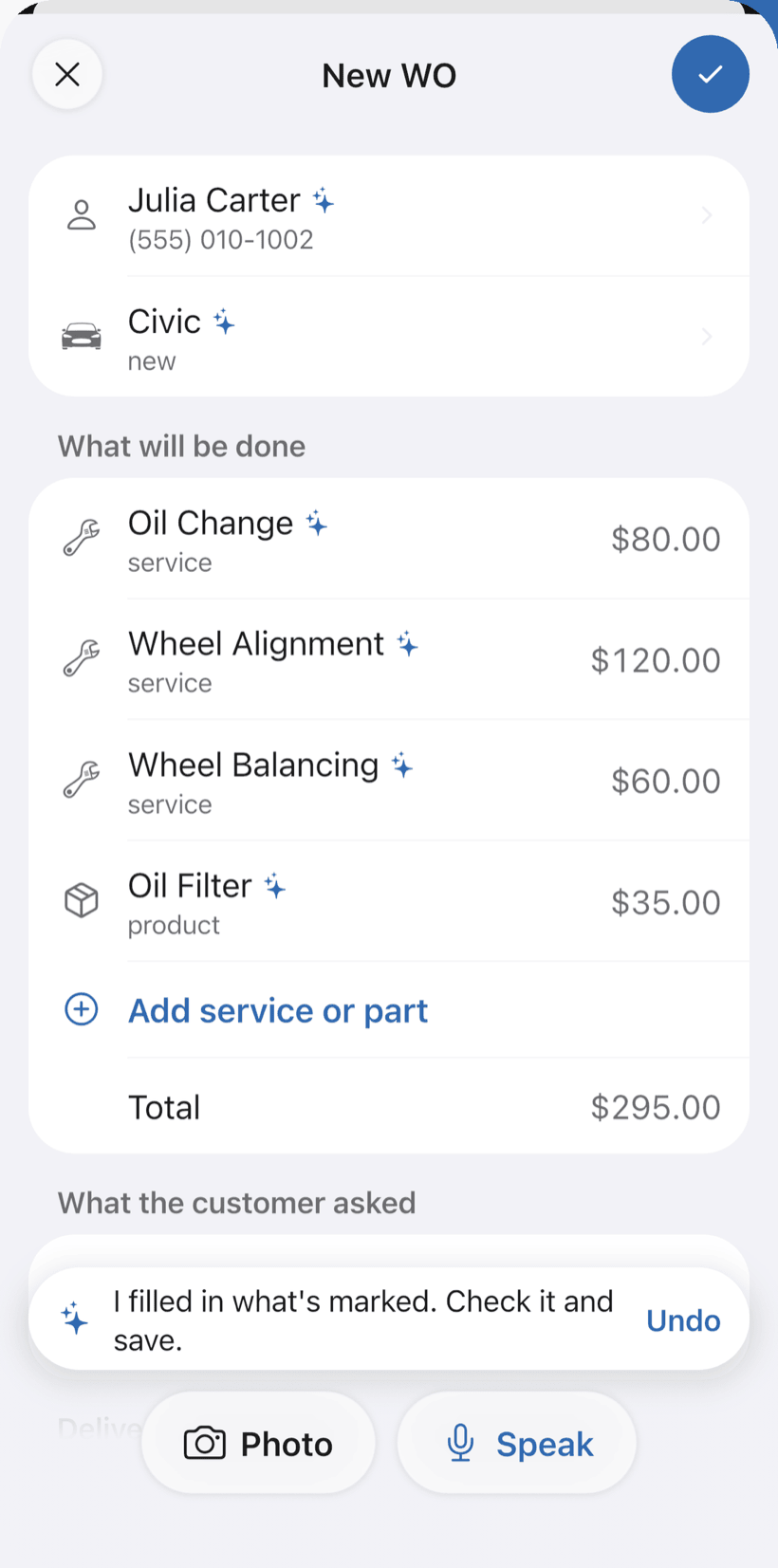
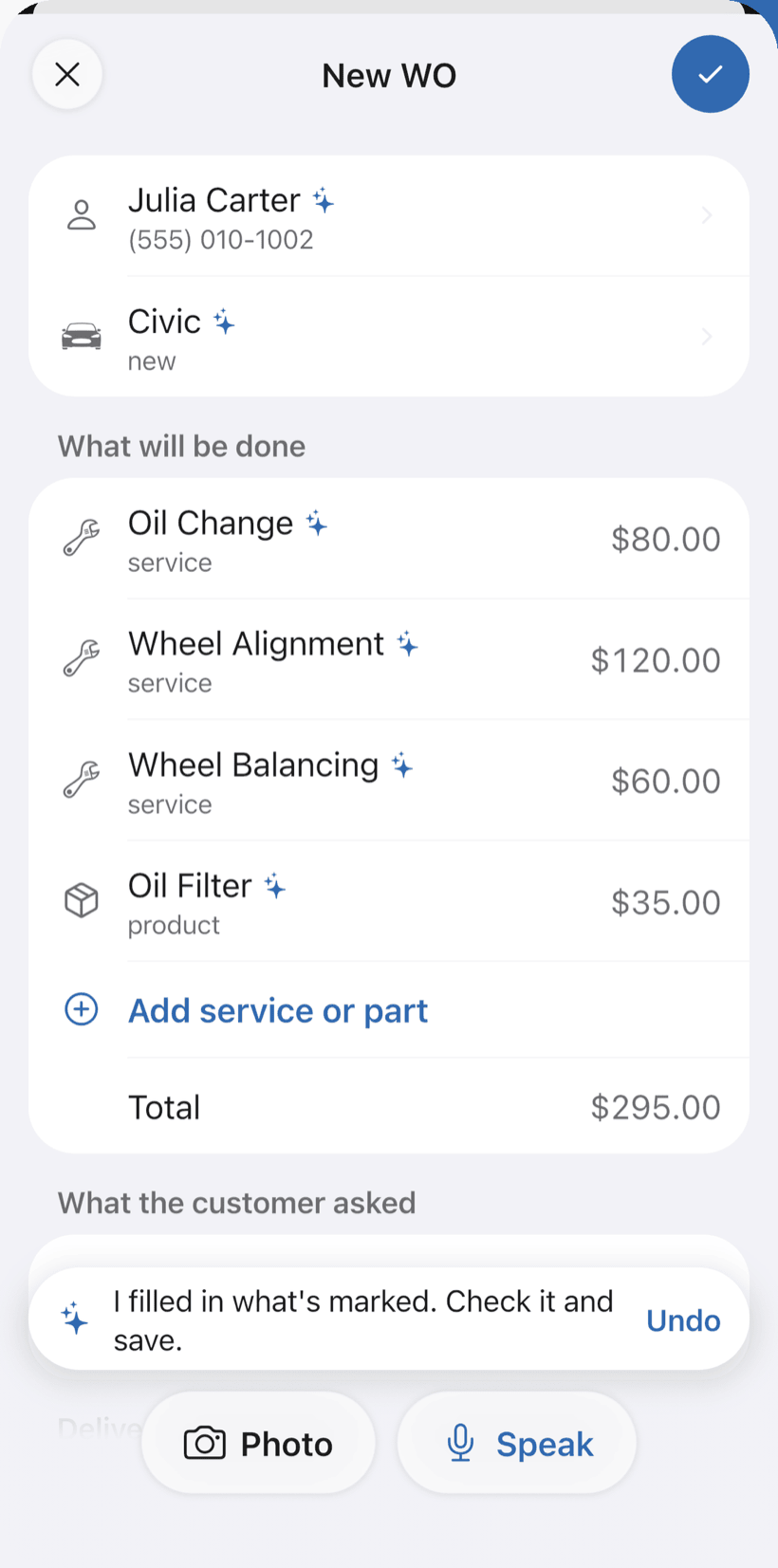
Say the job and the AI opens the order
Tap Speak and say something like: “Vale Verde Metalworks, generator GER-004, preventive service with oil and filter change”. Or take a photo of a written request. The AI fills in customer, asset, services and parts with your catalog prices and marks what it filled with ✦.
- Asset with tag, manufacturer, serial number, location and category
- Fix it by voice: “the filter is 180”
- Nothing is saved until you check it
-
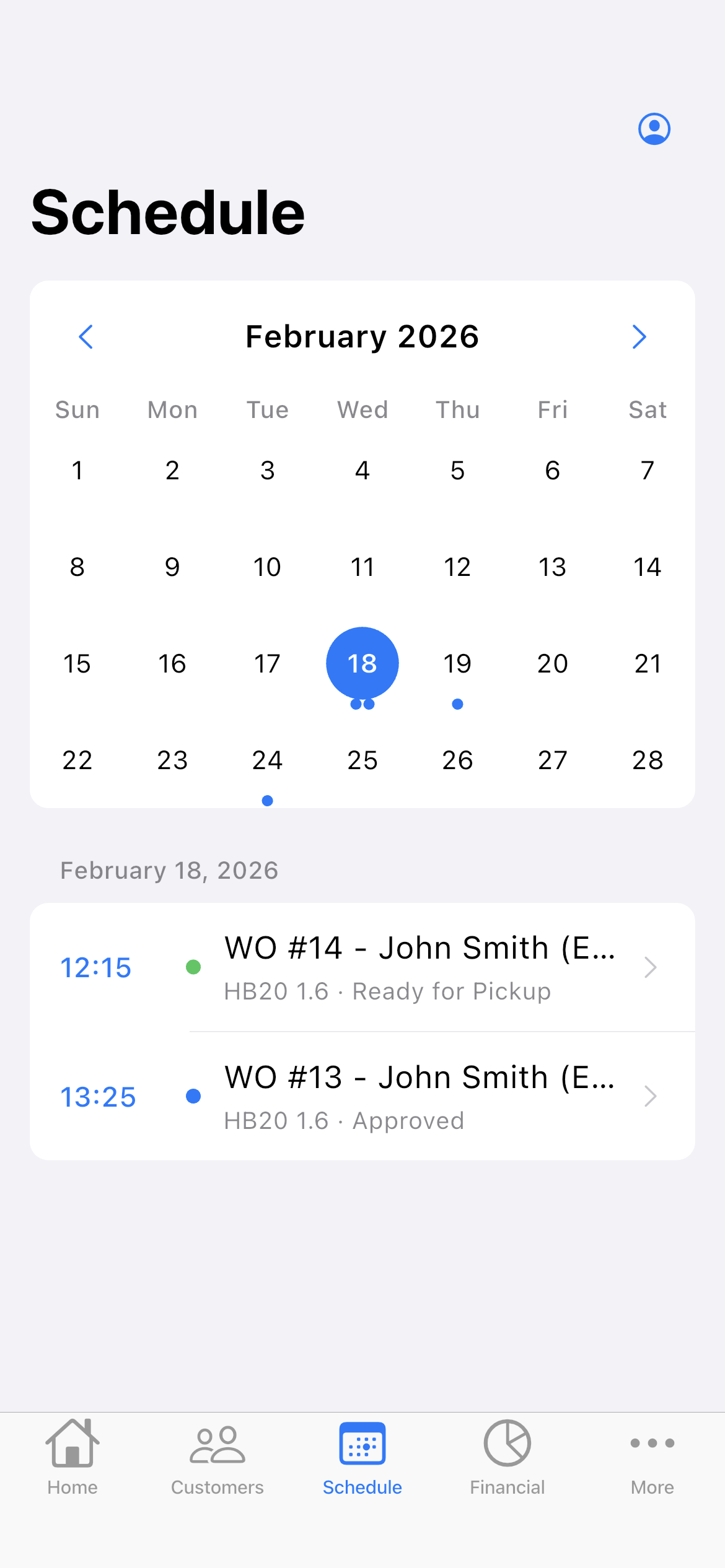
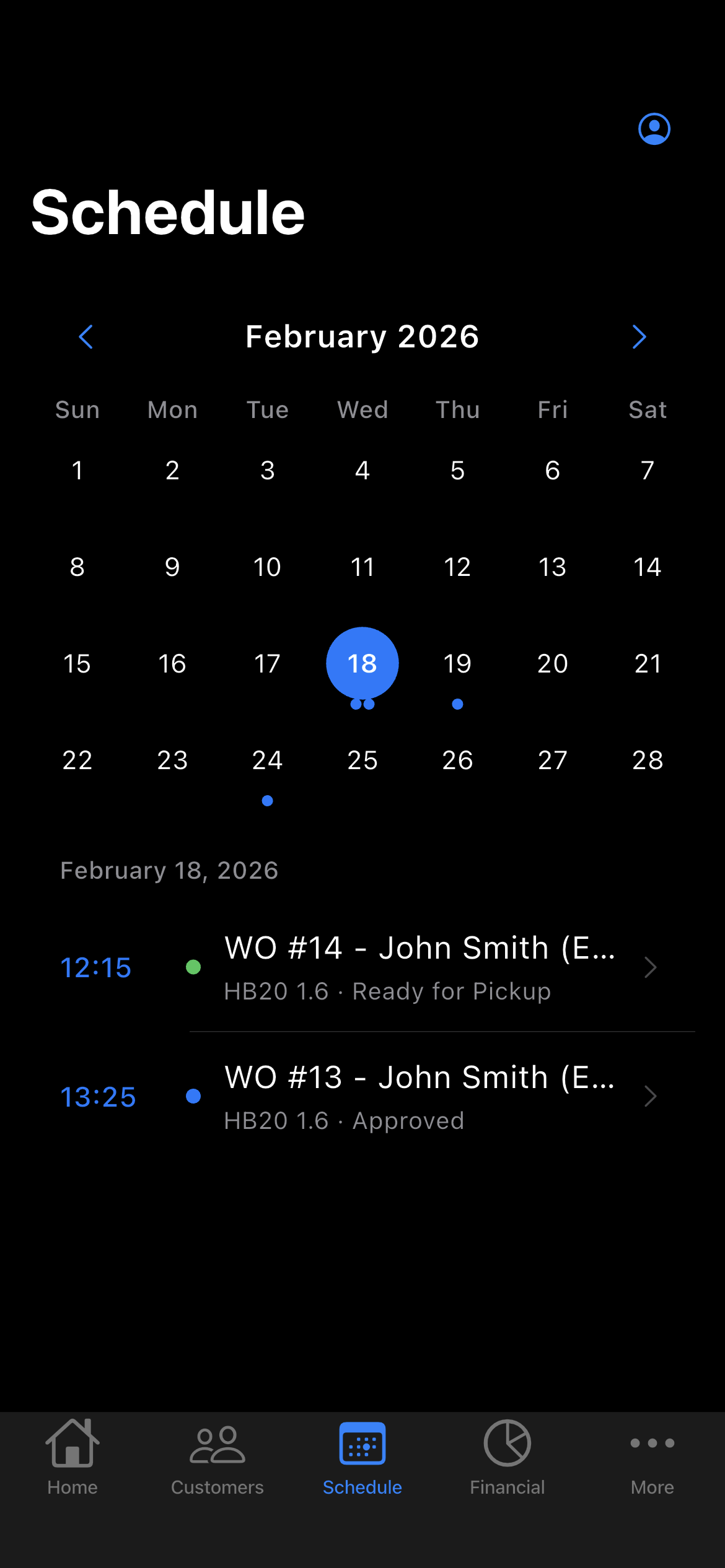
Schedule preventive and corrective work
Set a date and time on each order. It shows up on the Schedule on that day, and your phone reminds you before the visit.
- Preventive and corrective on one schedule
- Daily summary at 9am, if you want it
- Reminder for quotes with no answer for 7 days
-
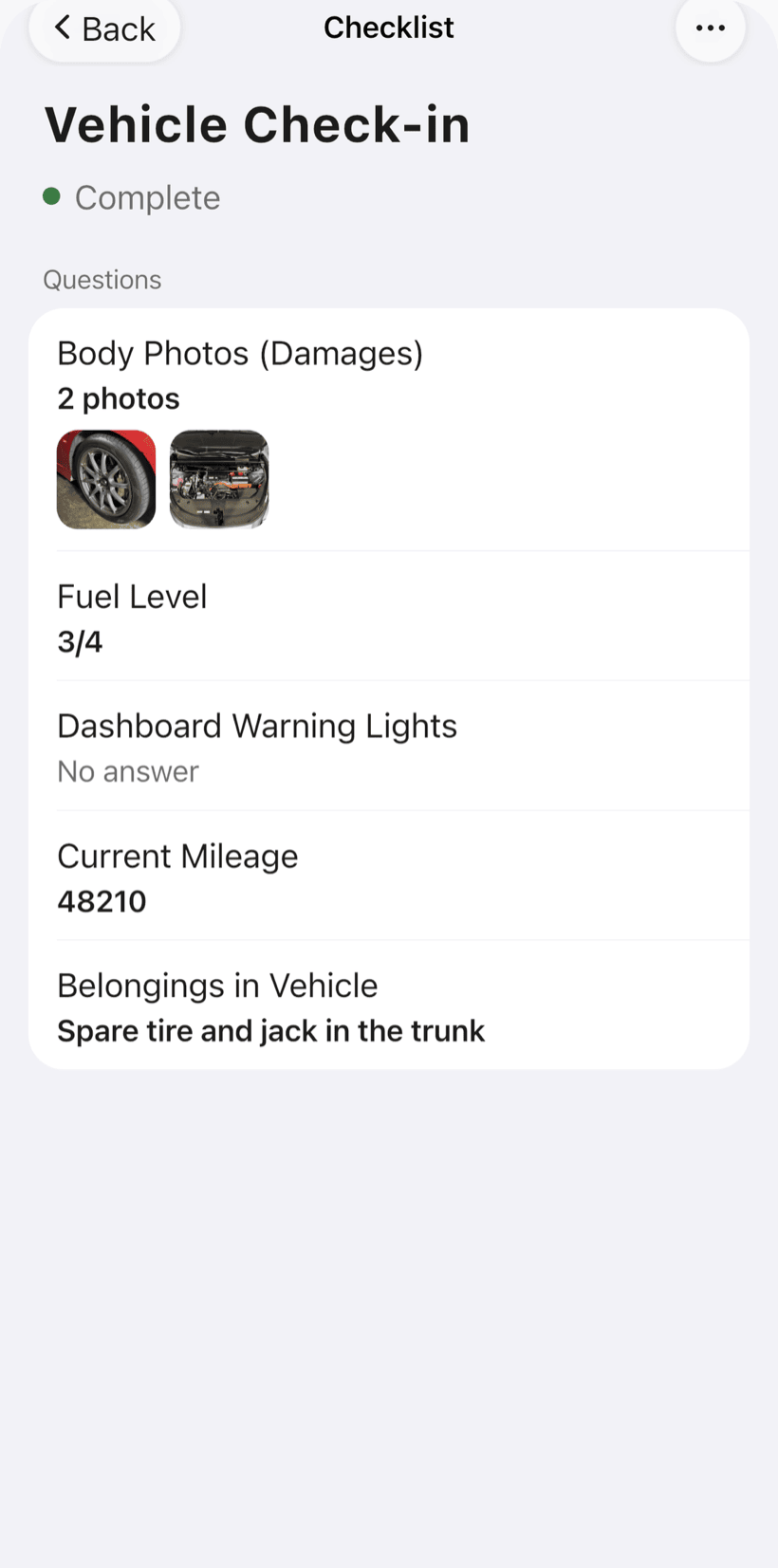
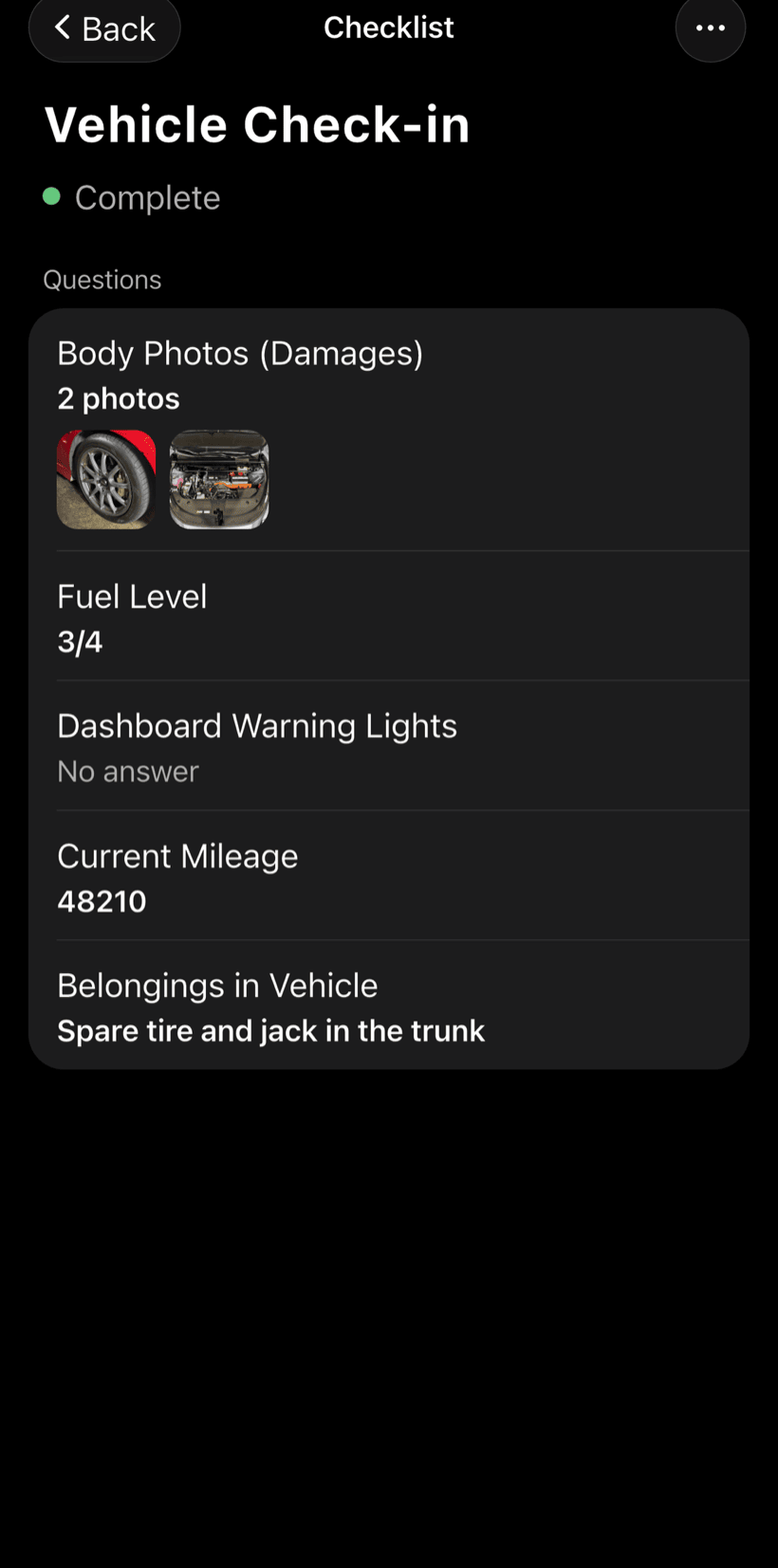
Work from a checklist
Build a checklist for each type of equipment and use it on every visit. Check off items, note readings and take before and after photos.
- Items with check, text or photo
- Readings and notes in text fields
- Templates in Checklists, from the profile button on Home
-
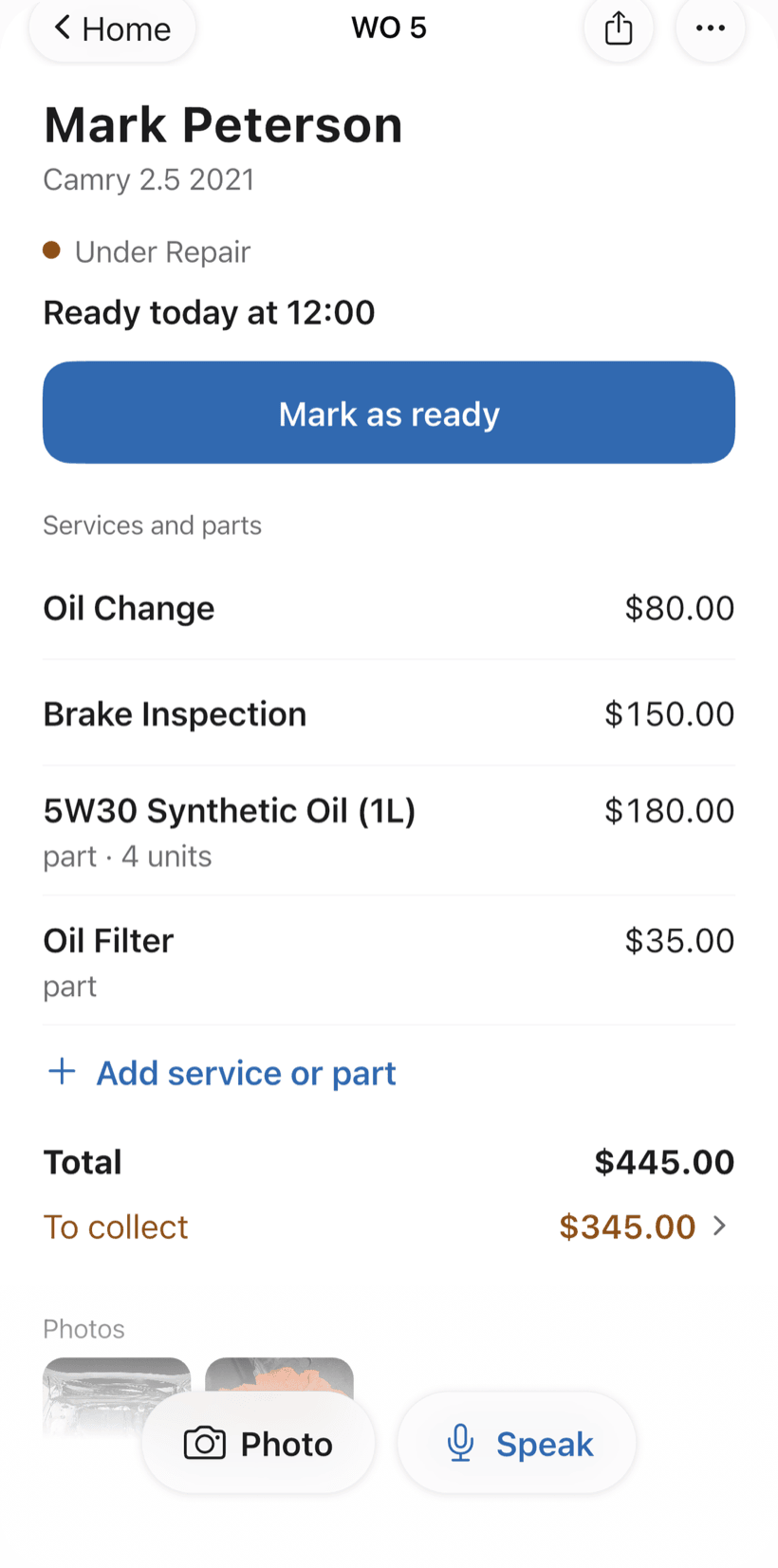
Send the report as a link
The customer opens the order in a browser, nothing to install. They see photos and the checklist, approve extra parts and leave comments.
- Approval recorded on the order
- PDF with a page per checklist
- Total and amount still due on the order screen
Questions from people who maintain equipment
If yours isn't here, send us an email — the PraticOS team answers it.
Do I have to pay to use it?
You can start free, with no limit on work orders or customers. The free plan has a monthly limit on photos and AI use, and one checklist template. Paid plans, subscribed in the app, raise those limits and unlock your team.
Is PraticOS a CMMS?
It covers the field work: asset records, preventive and corrective work orders, checklists, photos, scheduling and customer approval. It doesn't generate preventive visits by calendar or run hours on its own — each visit is a work order you schedule.
Does it work for generators, fleets and commercial kitchens?
Yes. The segment covers industrial equipment, generators and UPS, commercial HVAC, vehicles and fleets, medical equipment and commercial kitchens.
Can my technicians use it on their own phones?
Yes. If someone works with you, tap the profile button at the top of Home and go to Team: the invite goes out as a code over WhatsApp, and each person signs in on their own phone. The free plan is for one person; to add more people, subscribe to a paid plan inside the app.
Does the customer need to install an app?
No. They get a link, open it in their phone's browser and see the work order with photos, checklist and prices. They approve the quote and leave comments right there.
Download it and open your first order today.
Start free. Paid plans available in the app.
Questions? Talk to us on WhatsApp praticos@rafsoft.com.br FAQ